Skip to content

Confidential AI infrastructure

Confidential GPUs you verify yourself.

See live stock

Run your AI on GPUs whose hardware you can check yourself, without having to trust us. For developers and small teams running AI on data they can't expose: an H100, H200 or RTX PRO 6000 inside an Intel TDX trust domain, with the Intel and NVIDIA attestation checked by you, on your own nonce.

No sensitive data? Launch a standard GPU now, 682 available

First top-up of $10 or more: we add $3.80, your first hour of RTX PRO 6000 on us.

Intel TDX trust domain

quote v4 · 4936 B

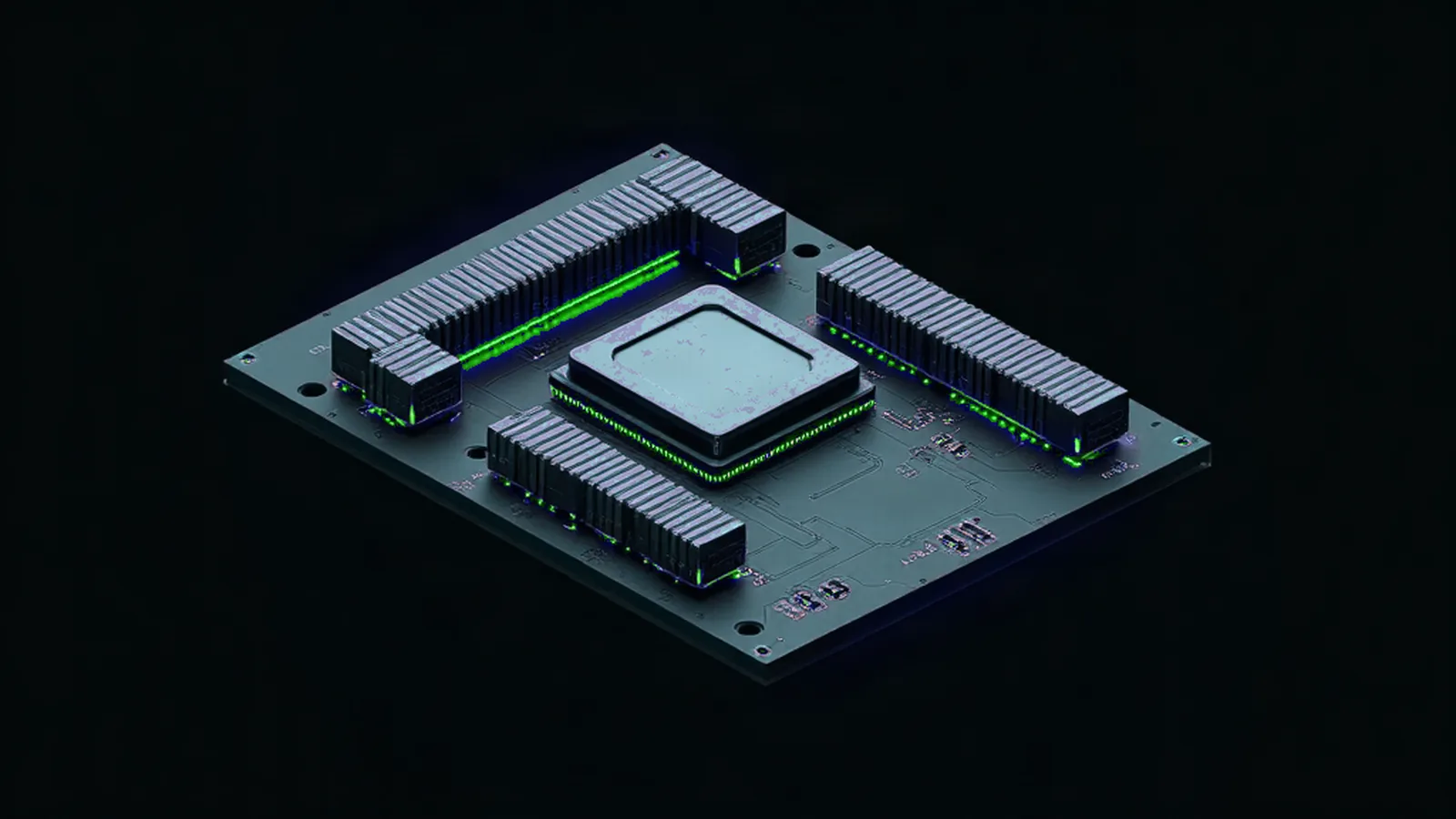
GPU module render, lit green at its edges

TDX quote→ Intel SGX Root CA

GPU attestation→ NVIDIA NRAS

A real run, not a mock-up: H100, single GPU, 6 Nov 2026.

01The proof

Two proofs.Yours, not ours.

Both are produced inside your VM, on a challenge you choose, and signed by Intel and NVIDIA. You check them on your own machine. We are not in the trust path.

voltage-verify verify bundle.json --challenge 3c8e94b8… --hwmodel GH100 --gpus 1RESULT: VERIFIED · 15/15

How a run works

  1. Your machine

    Pick a challenge

    voltage-verify writes a manifest with a fresh random challenge. Nobody can produce a proof for it in advance.

  2. Inside your confidential VM

    Generate both proofs

    The Intel TDX quote carries the SHA-512 of your manifest. NVIDIA's attestation service signs its SHA-256 into the GPU tokens.

  3. Your machine, offline if you like

    Verify

    Both signature chains are checked up to Intel and NVIDIA. With the wrong challenge, the answer is NOT VERIFIED.

Who you have to trust

  • Intelsigns the TDX quote chain
  • NVIDIAsigns the GPU tokens
  • Youchoose the challenge, run the check
  • VoltageGPUnot in the trust path
TDX: MRTD eea8b6a814569a52bd1e12f6b869bb2d... TCB UpToDate QE UpToDateGPU: GPU-0 GH100 driver 595.71.05 vbios 96.00.CF.00.01 measurements success

RESULT:VERIFIED

See all 15 checks

Manifest

  • PASSmanifest.formatmanifest is well formed
  • PASSmanifest.commitmentsbundle commitments match the manifest
  • PASSmanifest.challengechallenge is the one this verifier issued

Intel TDX quote→ Intel root

  • PASStdx.structureTDX quote v4, TEE 0x81, 4936 bytes
  • PASStdx.debugTD attributes 0000001000000000 (0x10000000), DEBUG (bit 0) off: not a debug TD
  • PASStdx.report_dataquote report_data equals SHA-512 of the manifest
  • PASStdx.signaturesattestation key, QE binding, QE report and PCK chain verify up to the pinned Intel SGX Root CA
  • PASStdx.collateralTCB info and QE identity signed by Intel (Intel PCS, fetched now)
  • PASStdx.tcbplatform TCB UpToDate, QE UpToDate, TDX_01 UpToDate
  • PASStdx.revocationPCK certificate not revoked (57 entries in CRL)
  • PASStdx.revocationPCK CA certificate not revoked (0 entries in CRL)

NVIDIA GPU attestation→ NVIDIA keys

  • PASSnvidia.signatures2 NVIDIA-signed tokens verify, keys from the bundle chained to a pinned NRAS intermediate (NVIDIA's live JWKS fetched for its intermediates)
  • PASSnvidia.nonceNRAS eat_nonce equals SHA-256 of the manifest
  • PASSnvidia.policyoverall result true, every GPU: measurements ok, secure boot on, debug off, nonce matched, report signature and chain validated
  • PASSnvidia.freshnesstoken issued 2s from bundle creation

challenge3c8e94b8d2be58ce…f3c50e8c8eb9chosen by the tenant ·

Public result page bundle.json

Hardware actually verified

Run from inside the VM, on a random nonce, and passed. "Both proofs" means the Intel TDX quote was checked in the same published run; the quote is available to the tenant on every Confidential VM. Nothing is listed on assumption.

HardwareScopeVerifiedEvidence
H100 80GB1 GPU, both proofsOpen
8× H200 141GB8 GPUs, both proofsNVIDIA Protected PCIe mode. NVSwitch attested only with libnvidia-nscq added in the guest.Open
8× H100 80GB8 GPUs, both proofsNVIDIA Protected PCIe mode. NVSwitch attested only with libnvidia-nscq added in the guest.Open
RTX PRO 6000 Blackwell 96GB1 GPU, both proofsOpen
H200 141GB1 GPU, both proofsOpen

Not attested, and never claimed: B200 and B300 (never available). NVSwitch: the 4 NVSwitches of the 8× H200 node and those of the 8× H100 node passed NVIDIA attestation on 4 November 2026 once libnvidia-nscq matching the driver version was installed in the guest; on the image as delivered, it fails. Machine-readable list

From a customer

“There is always a GPU available and the connection has always been stable for me”

Gabe Diaz, Owner, SEVEN KG

Try it yourself in five minutes, no account: download a real proof and verify it on your machine →

Every public proof, with its files and the command to rerun it: confidential VMs, inference, standard GPUs →

02What you can run

Three products, clearly labelled.

Confidential is what we are built for. The standard tier exists so you don't pay for an enclave you don't need, and it is never sold as confidential.

Confidential VMsIntel TDX + NVIDIA attestationStart here

A whole VM inside a trust domain, attested by you.

Root over SSH, your own stack, billed per second. Generate the TDX quote and the GPU attestation yourself, whenever you want.

Each VM is its own trust domain: you generate the TDX quote and the GPU attestation from inside it, on your own nonce.

Confidential VM sizes with NVIDIA GPU attestation verified, live prices
GPUPer GPU-hourNow
RTX PRO 6000 Blackwell96 GB$3.80On request
H10080 GB$6.9516 available
8× H100 node80 GB · $55.62/h for the nodeProtected PCIe mode, NVSwitch attested only with libnvidia-nscq added in the guest$6.952 available
H200141 GB$9.00On request
8× H200 node141 GB · $72.00/h for the nodeProtected PCIe mode, NVSwitch attested only with libnvidia-nscq added in the guest$9.00On request

Confidential inference APITEE models

10 TEE models, one base URL.

Keep the OpenAI SDK and change one line. The model runs inside Intel TDX at our inference provider, busy models are retried for you, and you can check the hardware evidence yourself.

main.pyPython · openai
from openai import OpenAI client = OpenAI(    base_url="https://api.voltagegpu.com/v1",    api_key="YOUR_API_KEY",)client.chat.completions.create(    model="Qwen/Qwen3.8-27B-TEE",    messages=[{"role": "user", "content": prompt}],)

the only line that changes

What our relay seesRequests pass through our relay, which sees them in clear (TLS ends at our host). To keep plaintext off our servers, run your own inference server in a Confidential VM and terminate TLS inside its trust domain. Confidential VMs

Live TEE models

  • Qwen3.8-27B-TEE
  • gemma-4-31B-turbo-TEE
  • DeepSeek-V3.2-TEE
  • GLM-5.1-TEE

from$0.07per 1M input tokens

Standard GPUsNo enclave

Standard GPUs, with the tools you get everywhere else.

Our tools, on every standard pod

  • Check the hardware yourself: one command compares the GPU you got with the listing
  • Billed per second, full refund if a launch fails
  • Volumes that outlive the pod, created in one click
  • Your own Docker image, start command and ports, by API
  • Same account and balance as confidential VMs
  • RTX A4000×16
  • RTX 409024 GB×43
  • RTX 509032 GB×239
  • A10080 GB×8
  • H10080 GB×72
  • L40S48 GB×4

473 on demand from $0.24/GPU-h · 209 spot from $0.30/GPU-h (spot can be reclaimed by the host)

Not confidential. For anything you can't expose, use a confidential VM.

Also available, without an enclave: Dedicated bare metal · Sandboxes

For developers

Automate it.

The same machines from your terminal, your code or your AI agent: the vgpu CLI, a REST API and an offline verifier.

pip install "voltagegpu-cli[verify]>=2.0.0"vgpu up rtx6000b-small --name job1 --ttl 1h --max-price 4 -yvgpu attest job1vgpu rm job1 -y

One command for a script or an AI agent: vgpu up charges the first hour and sets the release deadline (--ttl), vgpu attest checks the VM on your machine, vgpu rm releases it and the unused part of the hour comes back. The key comes from VOLT_API_KEY.

curl -X POST https://api.voltagegpu.com/api/volt/pods \  -H "X-API-Key: $VOLT_API_KEY" -H "Content-Type: application/json" \  -d '{"provider":"standard","name":"my-pod","machine_id":"<machine_id>"}' curl https://api.voltagegpu.com/api/volt/pods -H "X-API-Key: $VOLT_API_KEY"

"standard" starts a pod without an enclave. For an Intel TDX Confidential VM, send "confidential" with a resource_name.

pip install "voltage-verify>=0.3.0"voltage-verify verify bundle.json --challenge <yours>voltage-verify verify bundle.json --offline --accept-offline-tcb --challenge <yours>

Checks a Confidential VM's Intel TDX quote and NVIDIA GPU attestation on your own machine, without trusting us.

03Who runs it

Don't trust us.Check.

Deploy a VM, generate both proofs, verify them on your own laptop. If a check fails, write to the founder directly.

  • VOLTAGE EI, a French companySIREN 943 808 824, Solaize, France. Founded by Julien Aubry.Public register
  • GDPR Article 28 processorDPA on request, sub-processors published.Read the DPA
  • Per-second billingTop up any amount, by card or Bitcoin. No subscription for compute.Pricing

Trust centerStatus

04Questions

Frequently asked questions

What is confidential computing and how does VoltageGPU implement it?

Confidential computing protects data during processing using hardware-based Trusted Execution Environments. VoltageGPU runs NVIDIA GPUs inside Intel TDX trust domains: memory is encrypted by the CPU and the GPU is passed through to the trust domain. The attestation you generate covers the trust domain, not the disk: we do not claim disk encryption, so encrypt sensitive data at rest yourself. Google Cloud also uses Intel TDX for its confidential H100 (A3 High); Microsoft Azure's confidential GPU runs on AMD SEV-SNP.

Can I verify the enclave myself, without trusting VoltageGPU?

Yes. On the Confidential VM tier, the Intel TDX attestation device (/dev/tdx_guest) is exposed to you as the tenant. You SSH in with full root and generate both proofs on a challenge you choose: an Intel TDX quote whose report_data carries the hash of your manifest, verified offline up to Intel's root CA, and an NVIDIA GPU attestation whose nonce carries the same hash, signed by NVIDIA. VoltageGPU is not in the trust path. NVIDIA GPU attestation verified from inside the VM on: single-GPU H200 141GB (2026-09-04); single-GPU RTX PRO 6000 Blackwell 96GB (2026-10-09); single-GPU H100 80GB (2026-10-28); 8x H200 141GB node, all 8 GPUs in NVIDIA Protected PCIe mode, NVSwitch attested only with libnvidia-nscq added in the guest (2026-11-04); 8x H100 80GB node, all 8 GPUs in NVIDIA Protected PCIe mode, NVSwitch attested only with libnvidia-nscq added in the guest (2026-11-04). Both proofs (Intel TDX quote and GPU attestation) checked in the same published run on: single-GPU H200 141GB (2026-09-04); single-GPU RTX PRO 6000 Blackwell 96GB (2026-10-09); single-GPU H100 80GB (2026-10-28); 8x H200 141GB node, all 8 GPUs in NVIDIA Protected PCIe mode, NVSwitch attested only with libnvidia-nscq added in the guest (2026-11-04); 8x H100 80GB node, all 8 GPUs in NVIDIA Protected PCIe mode, NVSwitch attested only with libnvidia-nscq added in the guest (2026-11-04). The Intel TDX quote is available to the tenant on every Confidential VM. Not attested and never claimed: B200 and B300 (never available). On the 8x H200 and 8x H100 nodes, the 4 NVSwitches of each node passed NVIDIA attestation on 4 November 2026 once libnvidia-nscq matching the driver version was installed in the guest; on the image as delivered, switch attestation fails.

What GPUs are available on VoltageGPU?

Two tiers. The confidential tier, which is what we are built for: Confidential VMs with NVIDIA H100 (80GB), H200 (141GB) or RTX PRO 6000 Blackwell (96GB) inside Intel TDX, and 8-GPU H100 and H200 nodes in NVIDIA's multi-GPU Protected PCIe mode (GPU attestation verified for all 8 GPUs; the 4 NVSwitches of each node passed NVIDIA attestation on 4 November 2026 only with libnvidia-nscq added in the guest, and the NVLink fabric is not claimed), from $6.95 per GPU-hour. B200 and B300 have never been available to date and are not attested. And a standard tier without an enclave, for work that is not sensitive: no Intel TDX and no attestation, at lower prices, from $0.24 per GPU-hour, with the live catalogue at voltagegpu.com/standard-gpus. Confidential is the default and the reason the platform exists; the standard tier is there so you do not pay for an enclave you do not need.

How much does VoltageGPU cost?

Confidential VMs (Intel TDX + NVIDIA attestation), from $6.95 per GPU-hour. Live Confidential VM prices: single-GPU RTX PRO 6000 Blackwell at $3.80 per GPU-hour (on request); single-GPU H100 at $6.95 per GPU-hour (16 available now); 8x H100 node at $6.95 per GPU-hour (2 available now); single-GPU H200 at $9.00 per GPU-hour (on request); 8x H200 node at $9.00 per GPU-hour (on request). Confidential Inference API pays per token, from $0.07 per million input tokens. Standard GPUs without enclave from $0.24 per GPU-hour. Private AI Chat is $20/month. Confidential Agents start at $349/month for 3 seats. Per-second billing, no commitment.

Is VoltageGPU GDPR compliant?

We act as a processor under GDPR Article 28 and sign a Data Processing Agreement. VoltageGPU is operated by VOLTAGE EI, a French company (SIREN 943 808 824 00016), so processing is under CNIL oversight. Intel TDX adds Article 32 technical measures: inside the attested trust domain, the processor has no technical means of reading memory during execution; TDX does not encrypt the disk, so encrypt data at rest yourself. Note that GDPR compliance is a property of your whole processing operation, not of a supplier alone, so the controller assessment remains yours. DPA available on request.

Can I use VoltageGPU for healthcare / HIPAA workloads?

VoltageGPU Confidential Compute processes data inside Intel TDX hardware enclaves with AES memory encryption, which supports the HIPAA technical safeguards; whether a workload is HIPAA compliant is assessed on your whole processing operation. No Business Associate Agreement (BAA) is offered yet; it is planned after SOC 2 Type I, live status on the Trust Center.

Is the VoltageGPU API compatible with OpenAI?

Yes, for chat completions (streaming included): change your base URL to api.voltagegpu.com/v1 and use your VoltageGPU API key; OpenAI SDKs, LangChain, LlamaIndex and other OpenAI-compatible clients work. Requests pass through our relay, which sees them in clear (TLS ends at our host). To keep plaintext off our servers, run your own inference server in a Confidential VM and terminate TLS inside its trust domain.